
AI SKETCHUP INTERIOR RENDERING

SketchUp Interior Rendering with AI

Turn your existing SketchUp interior model screenshot into a photorealistic interior render. Whether you start with a white model, a basic viewport, or an unfinished interior scene, AI helps transform your design with refined materials, realistic lighting, and visual details. Choose an interior design style, adjust its influence, and customize the rendering with additional instructions.

Screenshot-Based WorkflowAdjustable Style InfluenceFree Credits Available
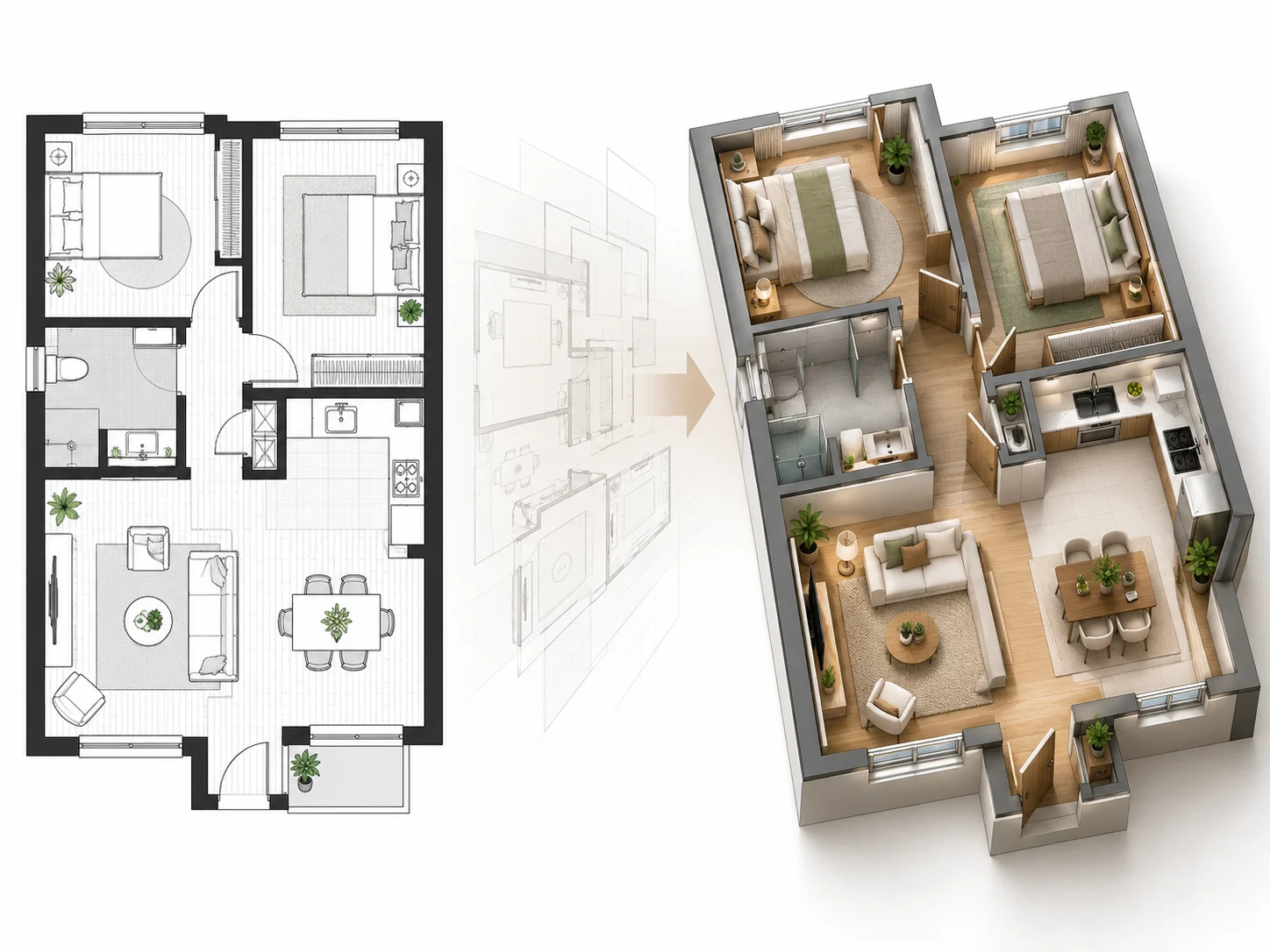
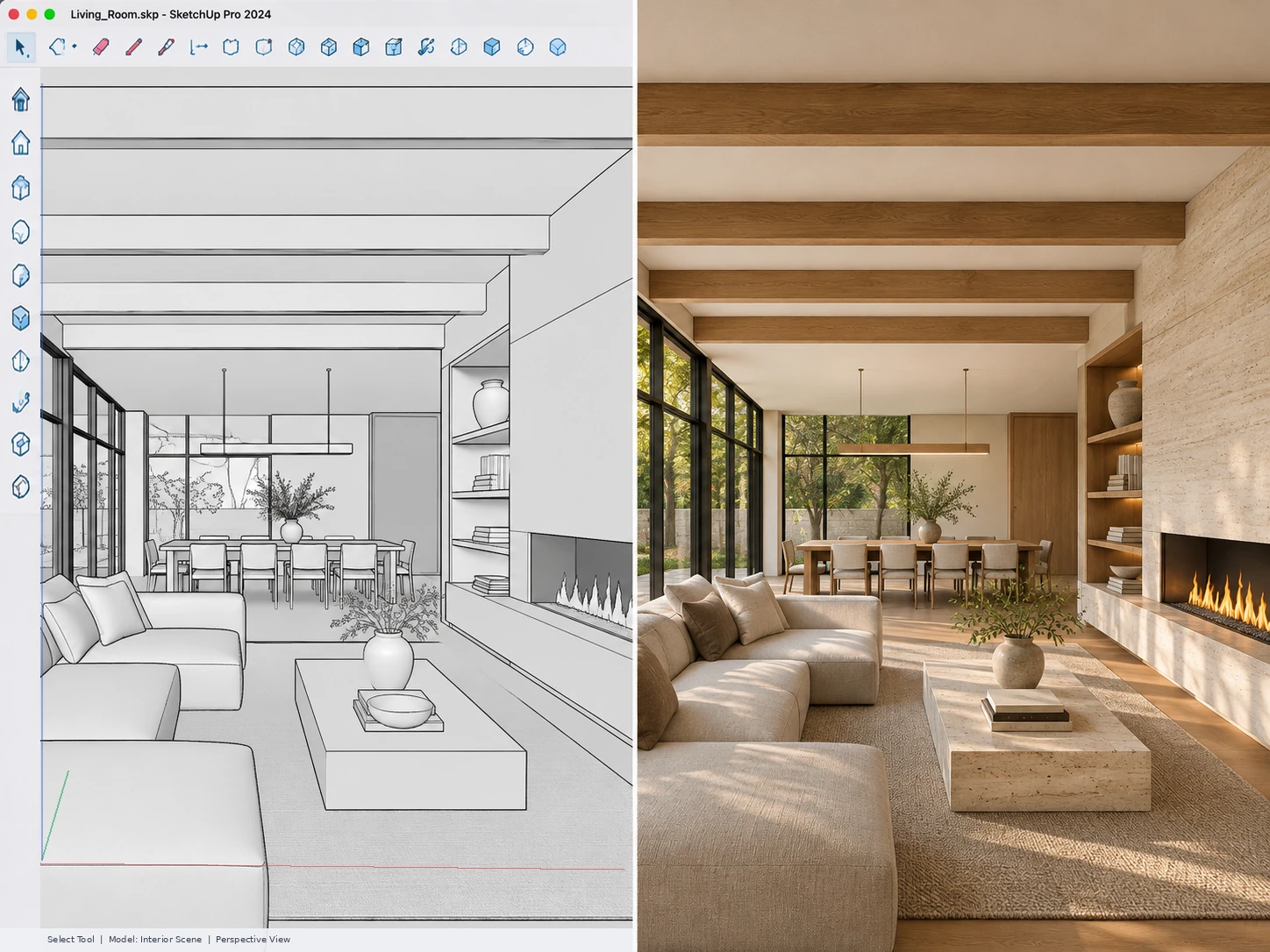
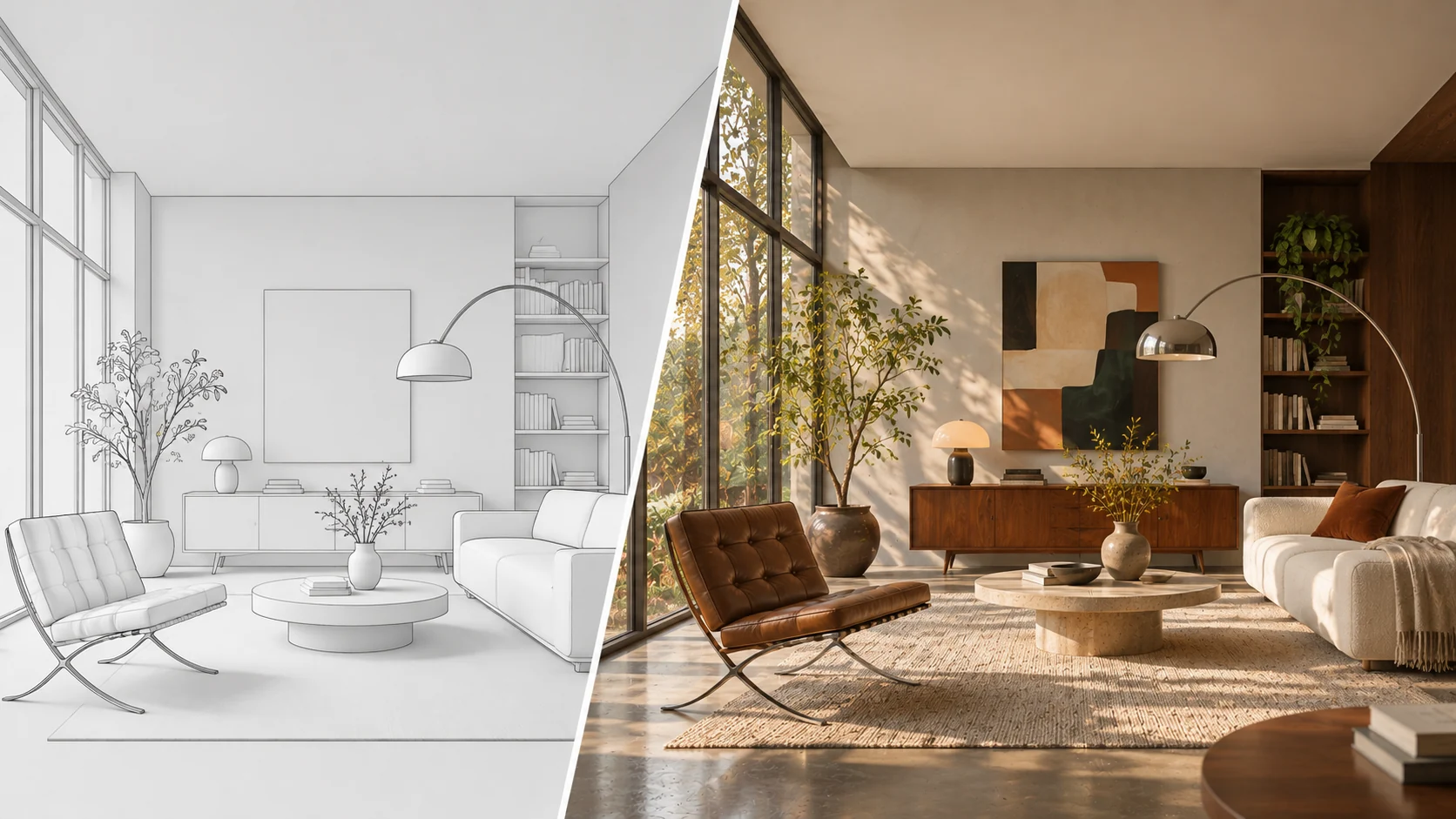
Original SketchUp interior model screenshot transformed into a photorealistic interior rendering with realistic materials, textures, and lighting.
SKETCHUP INTERIOR RENDERING EXAMPLES

Explore AI SketchUp Interior Rendering Examples

See how AI transforms existing SketchUp interior models into photorealistic visualizations. From unfinished white models to detailed kitchens, living rooms, bedrooms, and commercial spaces, explore different interior rendering scenarios.

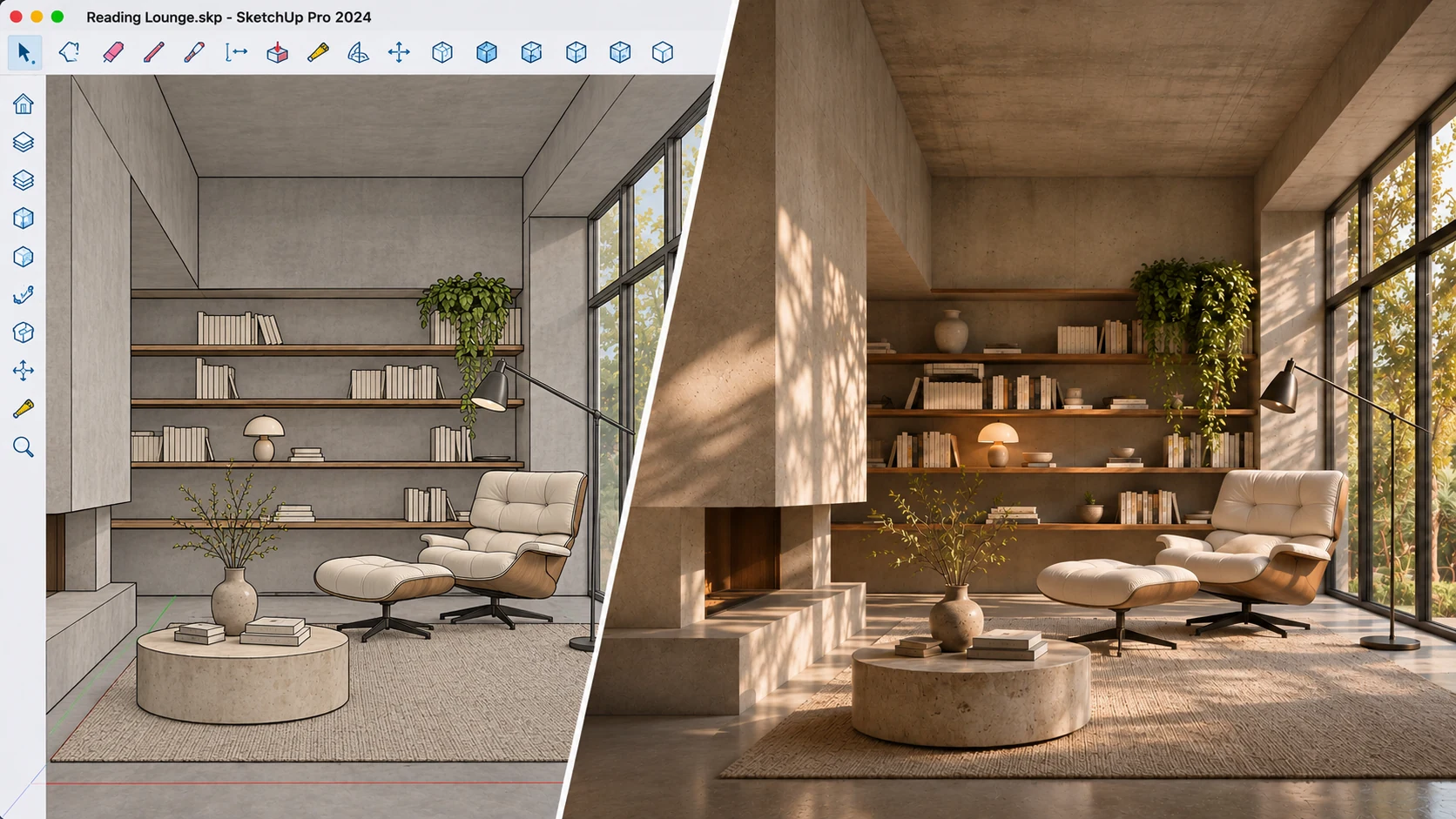
SketchUp white model rendering before and after AI transformation into a photorealistic interior.

Turn a SketchUp White Model into a Photorealistic Interior

Transform a basic SketchUp white or clay model into a realistic interior visualization. Add natural-looking materials, surface textures, lighting, and shadows while using the original model as the visual foundation.
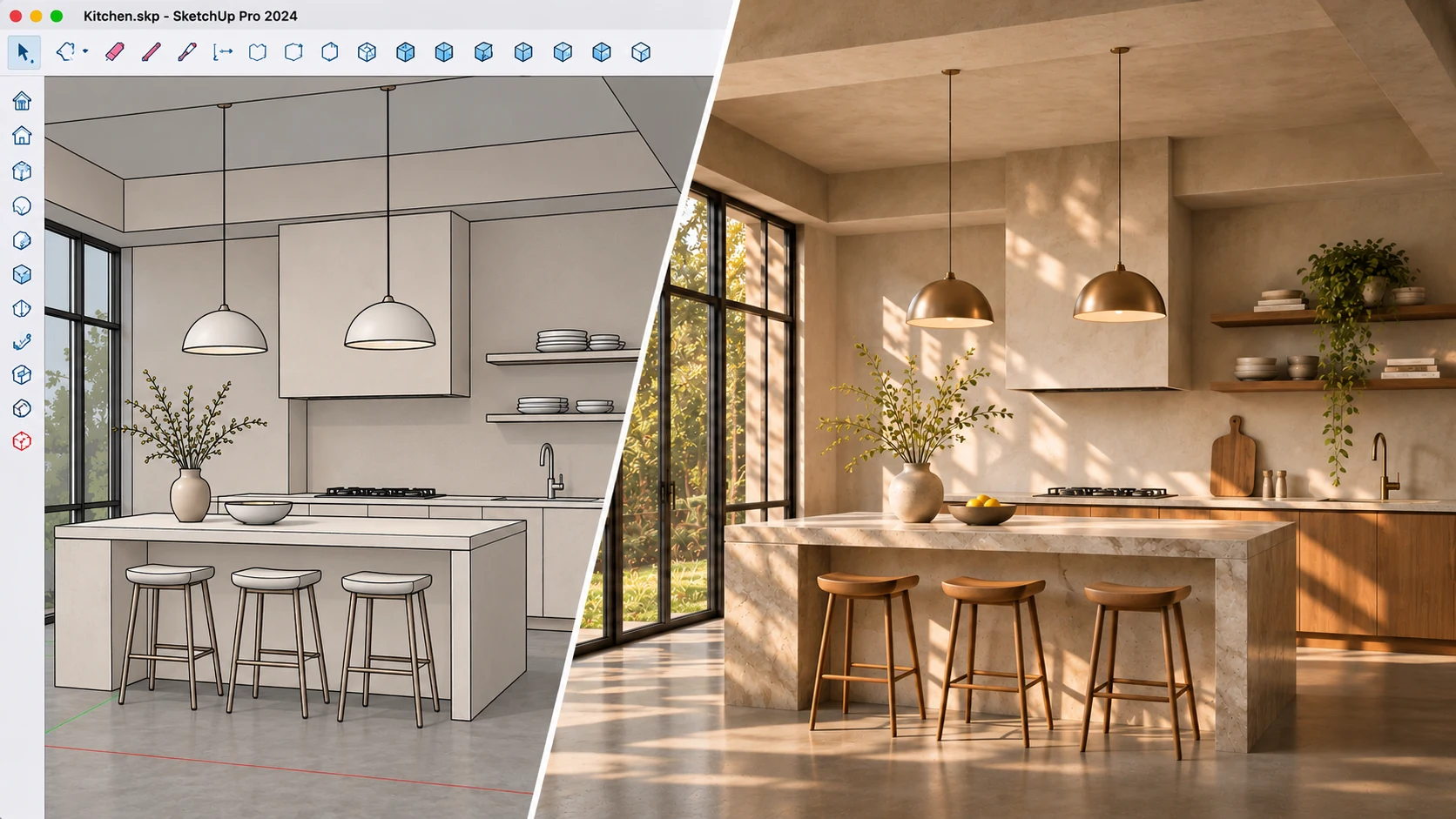
SketchUp kitchen model transformed into a photorealistic kitchen rendering with realistic cabinets, countertops, and material finishes.

Create a Photorealistic SketchUp Kitchen Rendering

Turn an existing SketchUp kitchen model into a realistic kitchen visualization. Refine cabinet finishes, countertops, backsplashes, flooring, and lighting to present your kitchen design more clearly.

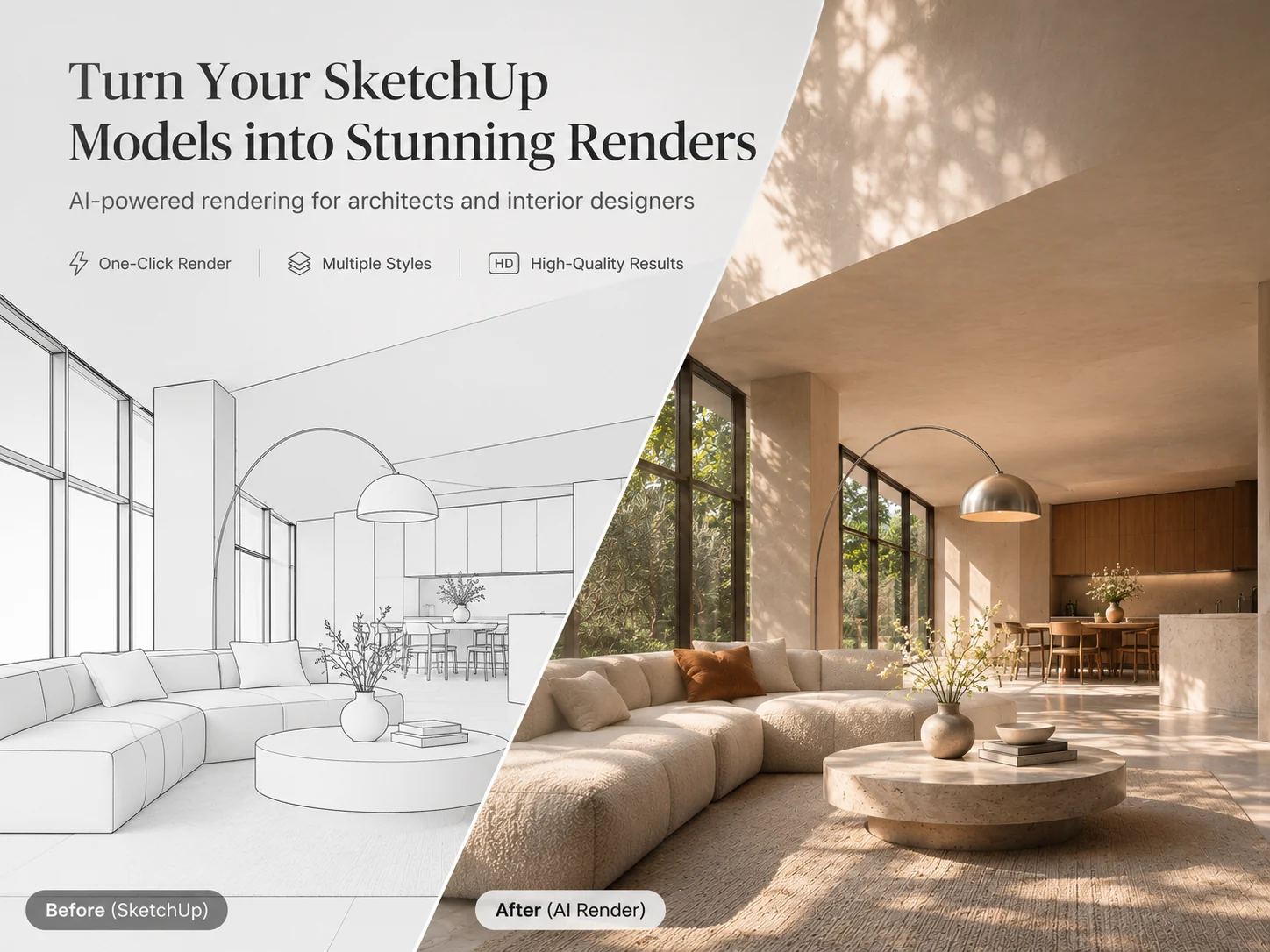
Photorealistic SketchUp living room rendering showing realistic furniture, wall finishes, and natural lighting.

Render a SketchUp Living Room with Realistic Materials and Lighting

Transform a SketchUp living room model into a photorealistic interior render. Enhance furniture materials, upholstery, wall finishes, flooring, and natural lighting to create a more convincing living space.

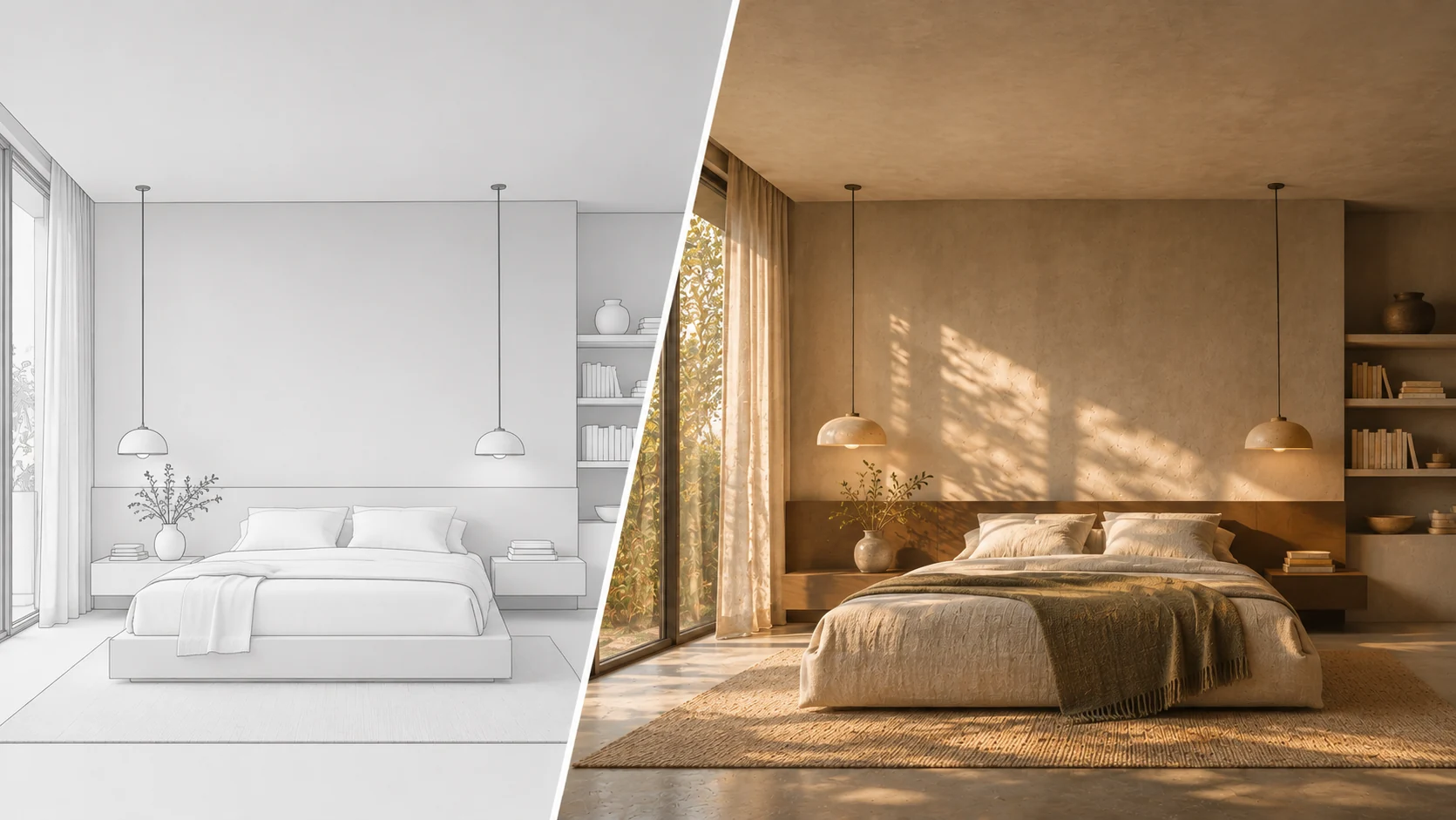
SketchUp bedroom model transformed into a photorealistic bedroom interior with realistic furniture, textiles, and lighting.

Create a Realistic Bedroom Render from a SketchUp Model

Visualize your SketchUp bedroom design with realistic bedding, furniture finishes, wall materials, flooring, and ambient lighting. Turn a basic bedroom model into a polished interior presentation.

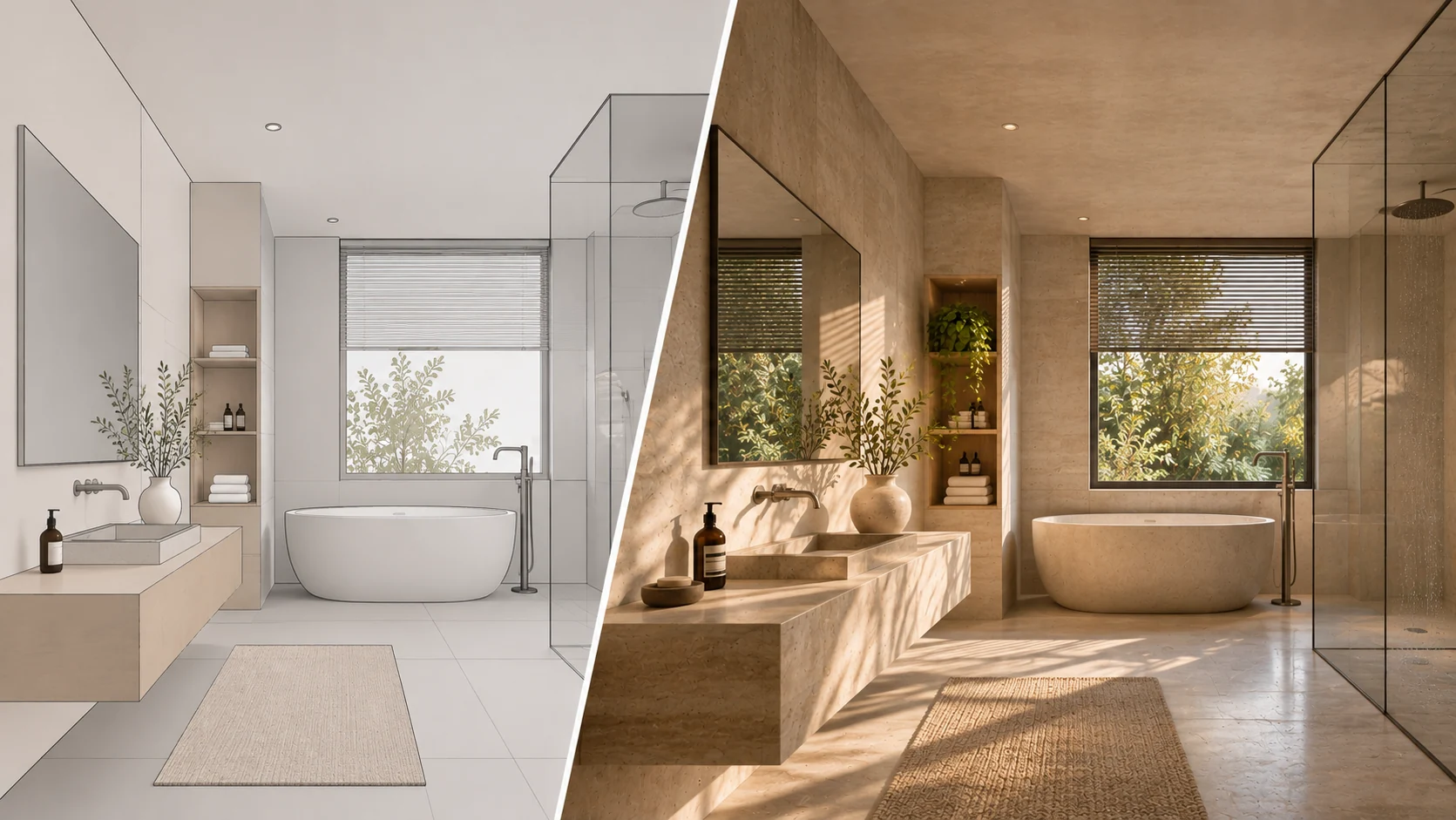
Photorealistic SketchUp bathroom rendering with realistic wall tiles, stone surfaces, vanity cabinets, and lighting.

Transform a SketchUp Bathroom Model into a Photorealistic Render

Create a realistic bathroom visualization from your existing SketchUp model. Refine the appearance of tiles, stone surfaces, vanity cabinets, mirrors, fixtures, and lighting for a more complete design presentation.

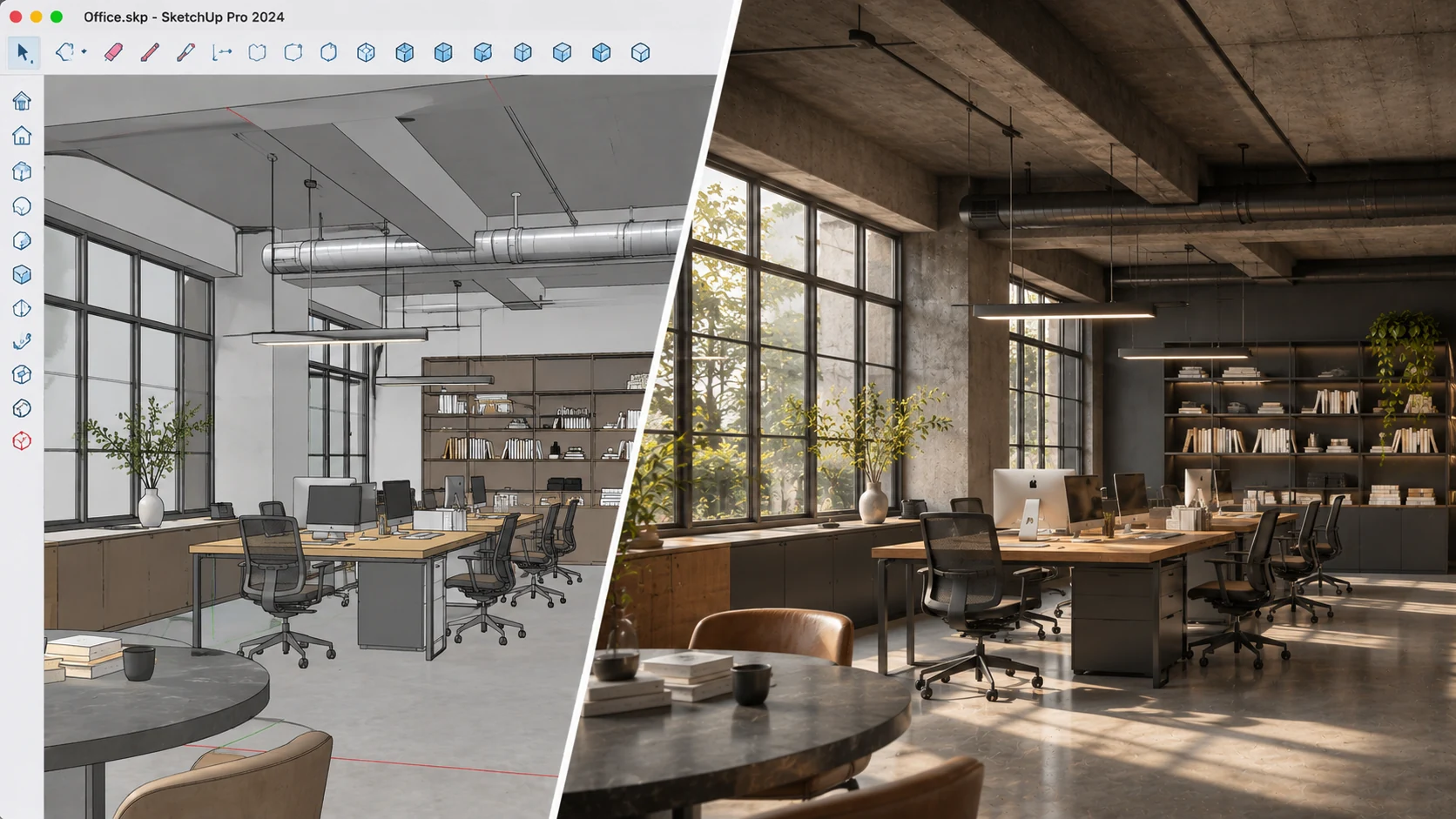
SketchUp office interior model transformed into a photorealistic commercial office rendering with realistic furniture and lighting.

Create a Photorealistic SketchUp Office Interior Rendering

Turn an existing SketchUp office model into a realistic commercial interior visualization. Enhance workstations, desks, furniture finishes, flooring, and lighting to communicate your office design more effectively.

What Is SketchUp Interior Rendering?

SketchUp interior rendering is the process of transforming an existing SketchUp interior model view into a photorealistic image. Instead of presenting a basic viewport screenshot with unfinished materials and simple lighting, AI enhances the visible scene with realistic textures, surface finishes, shadows, and illumination.

With AI SketchUp rendering, you can upload a screenshot or exported image of your existing interior model, select a design direction, adjust Style Influence, and choose a lighting atmosphere. You can also describe specific material preferences or additional details to guide the result.

This AI interior visualization workflow is designed for existing 3D interior models. It uses the original model screenshot as its visual reference rather than creating a new room from a text prompt. It does not import native SKP files or generate an editable 3D model.

If you only have a 2D floor plan and want to create a furnished 3D interior, use Floor Plan to 3D Interior Design instead.

SketchUp interior model screenshot shown beside its AI-generated photorealistic interior visualization.

Why Use AI for SketchUp Interior Rendering?

01

Render Existing SketchUp Models

Start with an interior model you have already created. Transform your existing SketchUp viewport screenshot into a realistic presentation without rebuilding the entire scene.

02

Turn White Models into Realistic Interiors

Use basic, white, or unfinished SketchUp models as the starting point for AI photorealistic interior rendering.

03

Explore Different Interior Design Directions

Experiment with different interior design styles to explore how materials, colors, and visual details can change the appearance of your existing model.

04

Adjust the Style Influence

Choose Subtle, Balanced, or Strong to control how prominently your selected design direction influences the visual result.

05

Customize Lighting and Atmosphere

Select a lighting atmosphere to guide the illumination and mood of your interior visualization.

06

Add Your Own Material Instructions

Describe preferred materials, colors, surface finishes, or additional details to give AI more specific guidance for your SketchUp interior render.

How to Render a SketchUp Model Online with AI

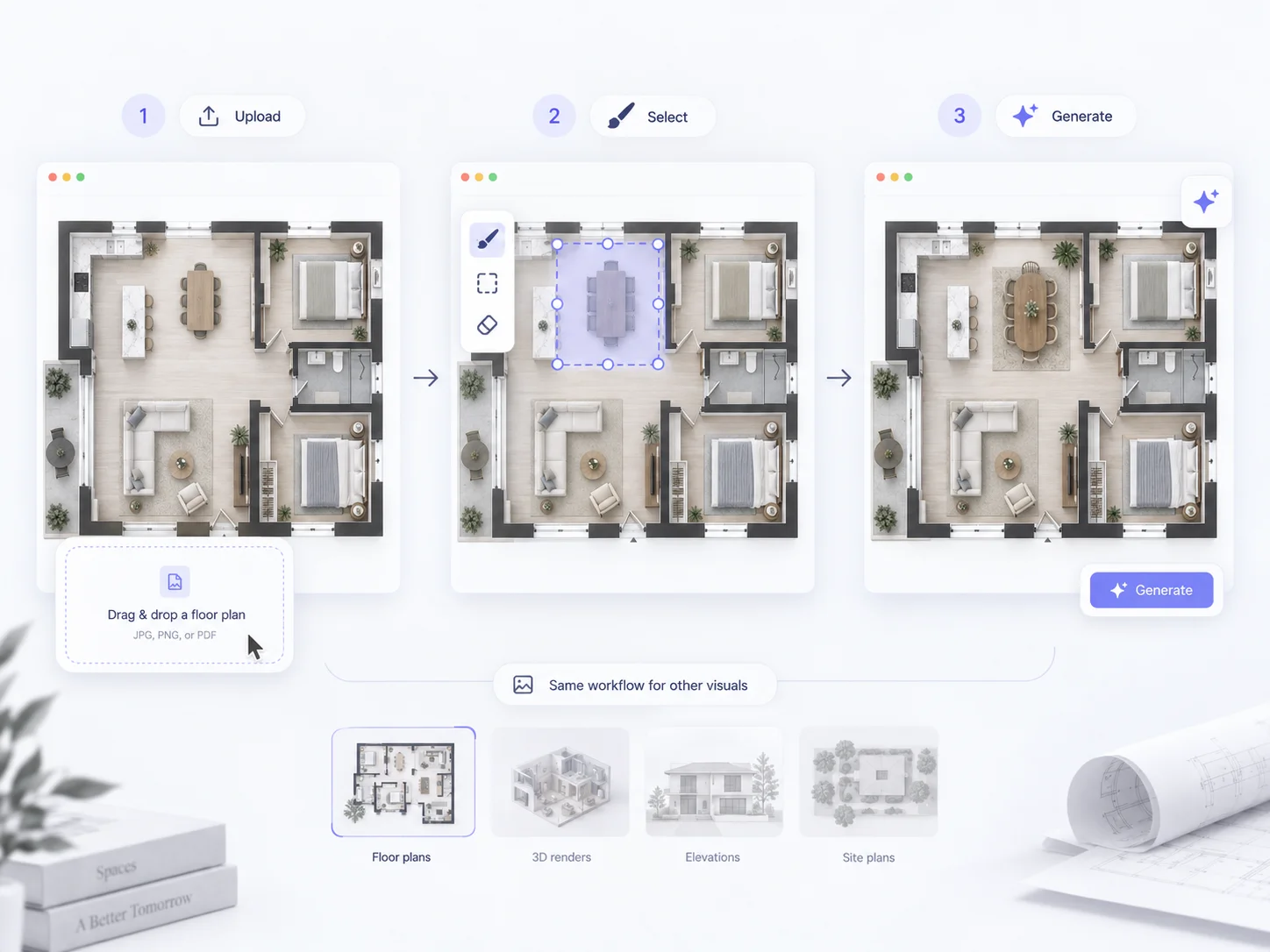
1

Upload Your SketchUp Screenshot

Upload a screenshot or exported image of your existing SketchUp interior model. Choose a clear view that shows the room layout, furniture, and architectural details.

2

Customize Your Interior Rendering

Choose an interior design style, adjust Style Influence, select a lighting atmosphere, and add optional material or detail instructions.

3

Generate Your Photorealistic Interior Render

Click Generate to transform your SketchUp screenshot into a realistic interior visualization. Review the generated image for your design presentation, portfolio, or client discussion.

AI SketchUp Interior Rendering Features

AI SketchUp Rendering from Screenshots

Transform SketchUp screenshots into photorealistic interior renders online. Use an existing model view as the starting point for AI-powered interior visualization.

SketchUp White Model and Clay Model Rendering

Turn unfinished, monochrome, or white SketchUp models into realistic interior visualizations with refined surface appearances, materials, textures, and lighting.

Photorealistic Interior Materials and Textures

Enhance the appearance of visible interior surfaces, including wood flooring, stone countertops, wall finishes, furniture materials, and other design details.

Kitchen and Dining Room Rendering

Create realistic kitchen and open-plan dining area visualizations from existing SketchUp models. Improve the presentation of cabinetry, countertops, dining furniture, and interior finishes.

Living Room, Bedroom, and Bathroom Visualization

Transform different residential interior models into photorealistic renders. Visualize furniture arrangements, bedroom textiles, bathroom surfaces, and room-specific material details.

Office and Commercial Interior Visualization

Create realistic SketchUp office interior renders for workspaces and commercial environments. Present furniture, workstations, flooring, and lighting with greater visual clarity.

Adjustable Interior Style and Lighting

Select an interior design direction, adjust its influence, and guide the lighting atmosphere to refine the visual appearance of your SketchUp rendering.

Custom Materials and Extra Details

Use additional text instructions to describe preferred colors, materials, surface finishes, and other visual requirements for a more tailored interior rendering.

Frequently Asked Questions

Learn more about AI SketchUp rendering, supported inputs, photorealistic interior visualization, and the available customization controls.

SketchUp Interior Rendering uses AI to transform an existing SketchUp interior model screenshot into a photorealistic image. It enhances visible materials, textures, lighting, and other visual details to create a more realistic interior presentation.

Turn Your SketchUp Model into a Photorealistic Interior Render

Bring your existing SketchUp interior designs closer to a realistic presentation. Upload your model screenshot, customize the visual direction, and create photorealistic interior renders with AI using free credits.

Free Credits Available
Upload Your SketchUp Screenshot